
Food Truck Square Terminal Offline After Switching to Cellular Backup? Check the Actual Connection
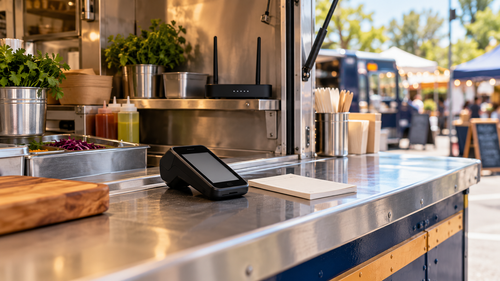
Your food truck's venue connection drops, the backup router reports cellular service, and Square Terminal still cannot connect. First establish whether the terminal is actually using the router that switched connections.
The terminal-to-network link and the router-to-internet link are separate. A connected Wi-Fi indicator, a phone with signal, or a successful router failover does not establish that the whole checkout path works.
This guide uses Square Terminal as the payment-device example and Ericsson Cradlepoint/NetCloud where the truck has that equipment. Square remains the authority for account, payment, and terminal-specific issues.
First, record the checkout symptom
Write down the exact message and time. Is Terminal reporting a network problem, or is it online with a payment-specific error?
For an uncertain transaction, follow Square's instructions for checking its status before retrying. Do not repeatedly submit the same sale as a connectivity test.
Choose a staff member to coordinate checks at the counter. Keep another person responsible for the order queue so the device is not repeatedly moved, rebooted, or unplugged by different people.
Confirm which local connection Terminal is using
On a signed-in Square Terminal, Square's documented path is More > Settings > Hardware > Network. Check the selected Wi-Fi network or the Ethernet indicator.
If you use Ethernet, it connects through Hub for Square Terminal. Square states that Terminal prefers Ethernet over Wi-Fi when both are available. Selecting a Wi-Fi network while leaving the Ethernet path connected can therefore be an incomplete comparison.
Have the responsible person trace the hub's Ethernet cable. Does it lead to the backup-capable router, a venue connection, or another network device? Label that connection after verifying it.
For a planned Wi-Fi comparison, Square instructs users to unplug the Ethernet cable from the hub before switching to Wi-Fi. Use the business-approved network and keep the password private.
Compare the same network, not a phone's separate cellular service
Use a second approved device on the terminal's intended Wi-Fi or Ethernet network. Confirm it is not silently using its own cellular connection.
Neither Terminal nor the comparison device reaches the internet: Investigate the shared local network and router path
The comparison device works on the same network, but Terminal does not: Review Terminal's connection, hub/cable, software, and Square guidance
Terminal works after an approved switch away from the venue network: Document the differing paths; do not assume the carrier caused the issue
Router failover is recorded but checkout remains unavailable: The router switch needs an application-level follow-up
Connectivity returns but a payment-specific error remains: Escalate with Square rather than repeatedly changing the router
A browser test checks only part of the path. On supported devices and current Square POS software, Square's connectivity report can distinguish internet access, local network access, and access to Square services. Availability depends on the device and software.
Have the router administrator verify the active WAN
If the truck uses an Ericsson Cradlepoint router managed through NetCloud, ask the authorized administrator to confirm which internet connection is active and whether a failover event was recorded.
For supported equipment, NetCloud Verify includes a failover/failback test requiring at least two active connections. It helps check the router's switching behavior and return to the primary connection.
That does not certify Square checkout, venue Wi-Fi, payment authorization, or every peripheral. Treat it as router evidence alongside the Terminal observations.
Avoid changing APNs, firewall rules, or failover settings during the serving rush without an agreed plan. A local staff member may need to check power and cabling even when the administrator works remotely.
Rehearse at the actual vending location
Before service begins, test the intended primary and backup paths at the place the truck will operate. Record which local network Terminal uses, who controls the router, and how staff identify the backup state.
Follow Square's documented procedure for any checkout verification. A connectivity check does not require collecting or sharing card data.
Review the actual offline-payment settings rather than assuming every payment method or operating mode supports them. Check Square's current limits and seller responsibilities before relying on offline acceptance in the operating plan.
If payments are pending offline, Square warns against signing out, deleting the POS app, switching modes or locations, or factory-resetting the device because those actions can lose pending payments. Follow its recovery instructions before making disruptive changes.
Hand off evidence that can be acted on
A useful support note is: “Terminal is connected by Ethernet through its hub. That cable leads to the venue connection. The truck's Cradlepoint router is on cellular, but Terminal has not been moved to that network.”
That is more actionable than “the backup internet is broken.”
Full Metal Architect helps Maryland food trucks and mobile vendors plan business connectivity and failover. Use Remote Help for a defined current network issue, or request an FMA project to document and test a repeatable event setup. Payment account decisions and processor support stay with Square.
Official references
Checked October 23, 2026:
